Pull Request Process
Pull Request Process
We create draft PRs early, before the work is complete. This keeps work visible and enables feedback as you go, rather than after everything's done.
Think of a draft PR as saying "Hey team, I'm working on this." It's not a request for review yet—it's a signal that work is in progress.
💡 Quick tip: Use the
/unio-create-prcommand to automate this entire workflow. It will guide you through branch naming, create the empty commit, push to GitHub, and set up your draft PR with proper Superthread linking. See the Workflow Skills page for details.
The Complete Workflow
Here's the full journey from starting work to merging code:
1. Start the Superthread card
Move your card to "In Progress" so the team knows you're working on it.
2. Create your branch
git checkout master
git pull origin master
git checkout -b feat/add-user-auth
3. Create a draft PR
Create your PR early, even if you haven't written any code yet:
git commit --allow-empty -m "feat: start user authentication work"
git push -u origin feat/add-user-auth
gh pr create --draft --title "feat: Add user authentication ST-128"
The --allow-empty commit lets you create a PR before you have real changes. If you've already made commits, skip that line and create the PR directly.
4. Link Superthread card
Include the card ID (ST-128) in your PR title or branch name for automatic linking. When the PR merges, Superthread updates the card status automatically.
Note: Card IDs in the PR description don't trigger automatic linking—it has to be in the title or branch name.
5. Development work
Now you code. Start each day by merging master into your branch to stay up to date with the team's changes. Make commits as you go, push regularly (at least once a day, preferably more). The draft PR shows your progress.
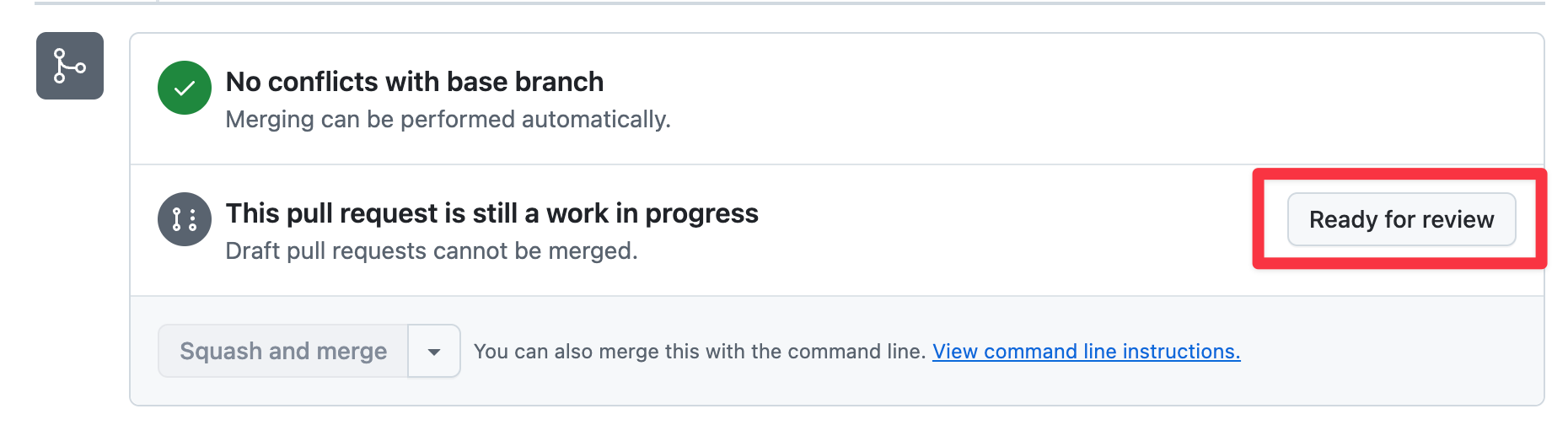
6. Mark ready for review
When the work is complete, click "Ready for review" in GitHub.
7. Self-review
Review your own code using GitHub's review feature. Look at the diff as if someone else wrote it.
8. Request external review
Request reviews from teammates to get fresh perspectives on your changes.
9. Address feedback
Respond to review comments, make necessary changes, and push updates.
10. Merge
Once reviews are approved, use squash merge to combine all your commits into one clean commit in master.
11. Clean up
Delete the branch after merging. GitHub offers a button for this right after the merge.
Benefits of Early Draft PRs
Why create a PR before the work is done? Several reasons:
Work is visible - The team can see what's in progress without asking. No surprises when you're ready to merge.
Enables early feedback - If you're heading in the wrong direction, someone can nudge you back before you've invested days of work.
Shows activity - Your Superthread card links to the PR, showing commits and progress. Project managers can see things are moving.
CI runs as you work - Continuous integration catches problems early as you push, rather than when you're ready to merge.
PR Template
Our PR template (.github/PULL_REQUEST_TEMPLATE.md) loads automatically when you create a PR. It prompts you for:
- Description - What this PR does and why
- Related Work - Link to your Superthread card or feature epic
- Type of Change - Check the box that matches your work (feature, fix, docs, etc.)
- Testing - A checklist to review before marking ready
- Additional Notes - Screenshots, breaking changes, migration steps
Fill it out as completely as you can when creating the draft. You can always edit it later as the work evolves.
💡 Remember: For automatic Superthread linking, include the card ID (
ST-XXX) in your PR title or branch name, not just in the description.
Now that your PR is ready for review, let's talk about the code review process in the next section.